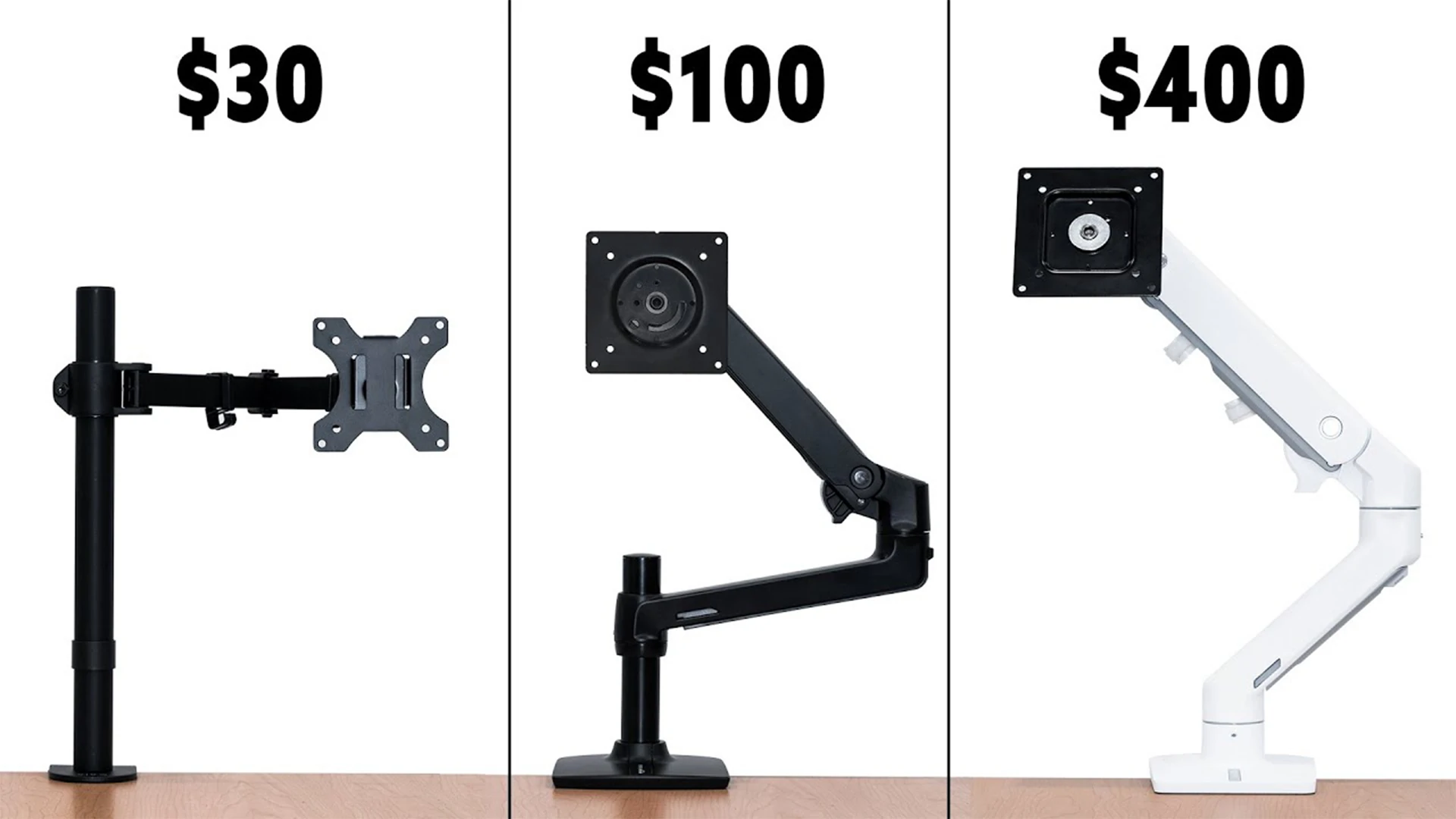
When building a clean, ergonomic workspace, a high-quality monitor arm is one of the most practical upgrades you can make. It lifts your screen, saves desk space, reduces neck strain, and lets you adjust your viewing position freely. But when choosing a monitor arm, you will face a common question: mechanical or pneumatic?
These two types use different internal systems to support and adjust your monitor. Understanding their differences will help you pick the right one for your daily use, workspace, and budget.
What Is a Pneumatic Monitor Arm?
Pneumatic monitor arms use an internal gas spring—similar to the support system found in office chairs or car trunk lids. This design allows smooth, almost effortless height and angle adjustment with just one hand. You can move the monitor up, down, forward, or backward at any time, and it stays firmly in place without locking or twisting knobs.
This type is extremely popular for home and office users because it is quiet, responsive, and easy to operate. It is ideal for people who often switch between sitting and standing, or who need to share their workspace with others of different heights.
However, pneumatic arms rely on gas pressure, so over many years, they may gradually lose some strength and require minor readjustment. They also have a limited weight range, so you must choose one that matches your monitor’s weight.
What Is a Mechanical Monitor Arm?
Mechanical monitor arms use metal springs or tension-based mechanical structures instead of gas cylinders. They rely on physical spring force to balance the monitor, making them highly stable and durable.
Unlike pneumatic arms, mechanical models do not depend on air pressure, so there is no risk of slow leakage or long-term sagging. They are known for strong, consistent support over years of heavy use. Most mechanical arms require initial tension adjustment using a tool, but once set, they rarely need further maintenance.
Mechanical monitor arms often support heavier monitors and provide better stability for long-term fixed setups. They are commonly used in offices, studios, industrial workstations, and public environments where reliability is a priority.
The only downside is that they are not as instantly smooth as pneumatic arms, and moving the monitor may require slightly more effort.
Main Differences Between Mechanical and Pneumatic Monitor Arms
Adjustment Experience
Pneumatic arms offer ultra-smooth, one-hand movement with minimal force.
Mechanical arms provide stable, solid support but require slightly more effort to adjust.
Durability & Longevity
Mechanical arms last longer with almost no performance loss over time.
Pneumatic arms are durable but may lose slight pressure after years of heavy use.
Weight Support
Mechanical arms usually support heavier and wider weight ranges.
Pneumatic arms work best within a specific, narrow weight range.
Installation & Use
Pneumatic arms are easier to set up and use immediately.
Mechanical arms need initial tension adjustment but are nearly maintenance-free.
Price
Pneumatic arms are often priced for mainstream consumers.
Mechanical arms are usually positioned as durable, long-term investments.
Which One Should You Choose?
Choose a pneumatic monitor arm if you want smooth, easy, frequent adjustments for home, office, or standing desk setups.
Choose a mechanical monitor arm if you prefer maximum stability, heavy-load support, long-term durability, and low maintenance for professional or long-use environments.
Both types improve posture, free up desk space, and create a healthier working environment. By understanding how they differ, you can select the monitor arm that best fits your daily habits and workspace needs.